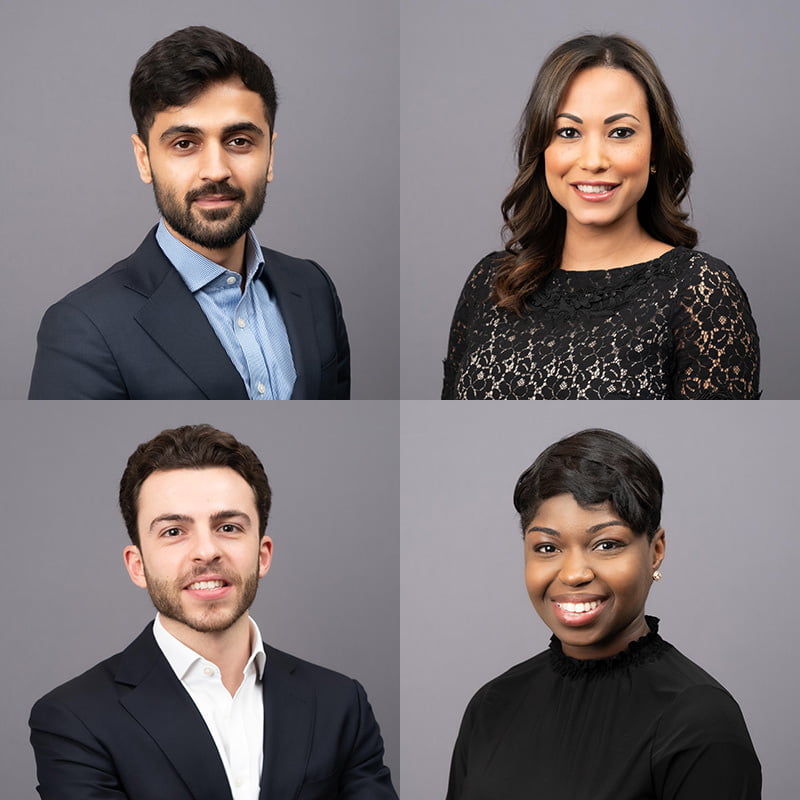
6 Tips for Organising a Corporate Portrait Photoshoot
We have put together a simple check list with 6 tips things to consider when organising a corporate portrait photoshoot, this will vary a little depending on the style of photography, but is food for thought…
1. Book a Big Room
The first thing to do for a portrait photoshoot would be to book a large meeting room in the building, this will allow the maximum possible space for lighting backdrop and all the necessary equipment.
2. Draft a Detailed Schedule for the Portrait Photoshoot
Then once the photographer has been booked a detailed schedule should be drafted and circulated in advance, so that each person is aware of the time for their portrait. A little extra time should be allowed for each person so that they can comfortably leave and clear the room before the next person arrives.
3. Allow Set up Time for the Photographer on the Day
If the brief if for corporate headshots against a plain background then on the day it is best to allow time for the photographer to get everything set up in the designated room. The equipment will consist of a backdrop of either the typical grey or pure white, to be set against a wall at the correct height. The camera is mounted on a tripod so that the framing of each person is consistent throughout the day and the Elinchrom flash system of two flash units is tested and power output adjusted to account for the ambient light in the room.
All kit and furniture can be arranged away from the route used by the people entering the room, such as chairs and equipment bags, so that no one feels they need to move anything to get to the designated spot where they will be photographed.
4. Plan Personal Hair and Makeup Equipment
Each person to be photographed can bring a comb, hairbrush and makeup, as well as a small mirror, as necessary or a makeup artist çan be booked. Clients if they wear glasses should bring lens cleaning cloth as finger smears can be seen on portraits with modern camera resolution being what it is. This should be included in the emails circulated before the photoshoot so that people know what to bring with them on the day.
5. Viewing of Images on a Laptop
Under normal circumstances clients like to check the photographs on the back of the camera during the photoshoot. Alternatively the photographer can attach the camera to a laptop with a long cable so that each portrait appears on the laptop screen, so that the subject can have a look at the images ready for approval or adjustment and photographic choices can be made in real time as they appear.
6. Consider Outdoor Portraits
Photography outdoors is straight forward to arrange if required – these portraits could be taken in a quiet nearby street or office terrace or porch area.
A reflector is required for better images outside and can be held by an assistant.
- About the Author
- Latest Posts

Professional corporate photographer, providing company headshot photography and video for businesses in London, the rest of the UK and Europe. Piranha are commissioned by FTSE100 companies and start-ups alike, for numerous projects, covering a wide range of work and styles. Portraits and office photography for use on websites, events coverage and PR shots for press and publications, as well as Board and location photography for annual reports. Using top of the range Leica cameras and lenses. We process the images promptly and to an extremely high standard.